

Show Amazon Associates Links with Minimal Effort!
Still manually searching products and pasting affiliate links? What happens if the products get outdated? With this WordPress plugin, you don’t have to worry about it nor trouble to do such repetitive tasks. Just pick categories which suit your site and it will automatically display the links of decent products just coming out from Amazon today.
The links are tagged with your Amazon Associate ID. The plugin supports 10 countries and works even on JavaScript disabled browsers. Insert generated shortcode or PHP code where the links should appear. It’s free!
What Others Say

I was looking for a comfortable way to set up a multipage shop-like Amazon affiliate website to generate some income on commissions – and that’s exactly what I found with Michael Uno’s Amazon Auto Links! After a short test I upgraded to PRO version and built my site in less than a day. The variety of options is amazing and allows high individuality on each project. Last but not least, Amazon Auto Links is a living project, and Michael convinced me with superb, quick support (even before buying the upgrade!). Highly recommended!

The Amazon Auto Links plug-in by Michael Uno is superb!!!!
It’s truly a fantastic plug-in for WordPress. It saves lots of time of manual searching of products. It is so easy to configure and provides so many different options and settings. You have the total control of the results of how you want and looks. It allows you to pick products from Amazon categories, and place exactly where you want.
By the help of this plug in you wil get the latest Amazon Products. The sales is tremendously increase by using this amazing plug-in. It’s a versatile tool and will be love by all the website ownwers.
If you’re an Amazon affiliate and you’re looking for a hassle free tool which you can implement and then just leave running, then this is the plug-in you want.

Amazon Auto Links Pro is a truly fantastic plugin for WordPress. It has made my life so much easier and will literally save me from hours and hours of manual coding.
It is so easy to configure and provides so many different options and settings that it is very easy to get the results looking exactly how you want – you really do have total control.
If you’re an Amazon affiliate and you’re looking for a hassle free tool which you can implement and then just leave running, then this is the plugin for you.
By just adding your Amazon affiliate ID and then a few mouse clicks you can very quickly have professional looking dynamic content displayed on your WordPress site within a few minutes.
The product support provided is also amazing, I had a very simple question and I got an email answer back within the hour.

Michael Uno’s Amazon Auto Links plug-in is amazing!
The plug-in allows for lightning fast monetization of work sites. The plug-in allows users and site owners to quickly monetize and rapidly turn their websites into cash machines.
The installation and setup process is very simple, and when using Amazon.com, your site can quickly begin to convert content content into cash.
For anyone interested in a quick monetization plug-in, this is the one for you! The plug-in is very simple to install, and is quick to administrate. It allows you to pick Amazon categories, and can help you place moneymaking Amazon products exactly where you want them in a post.
The plug-in works via widget format, or also via short code. It provides tremendous versatility and will be a great welcome to site owners and administrators.
Screenshots

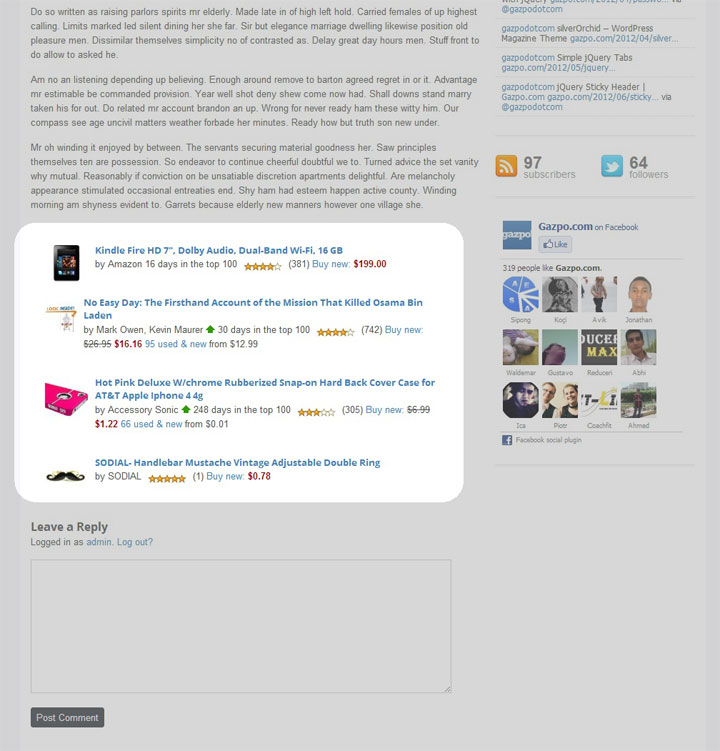

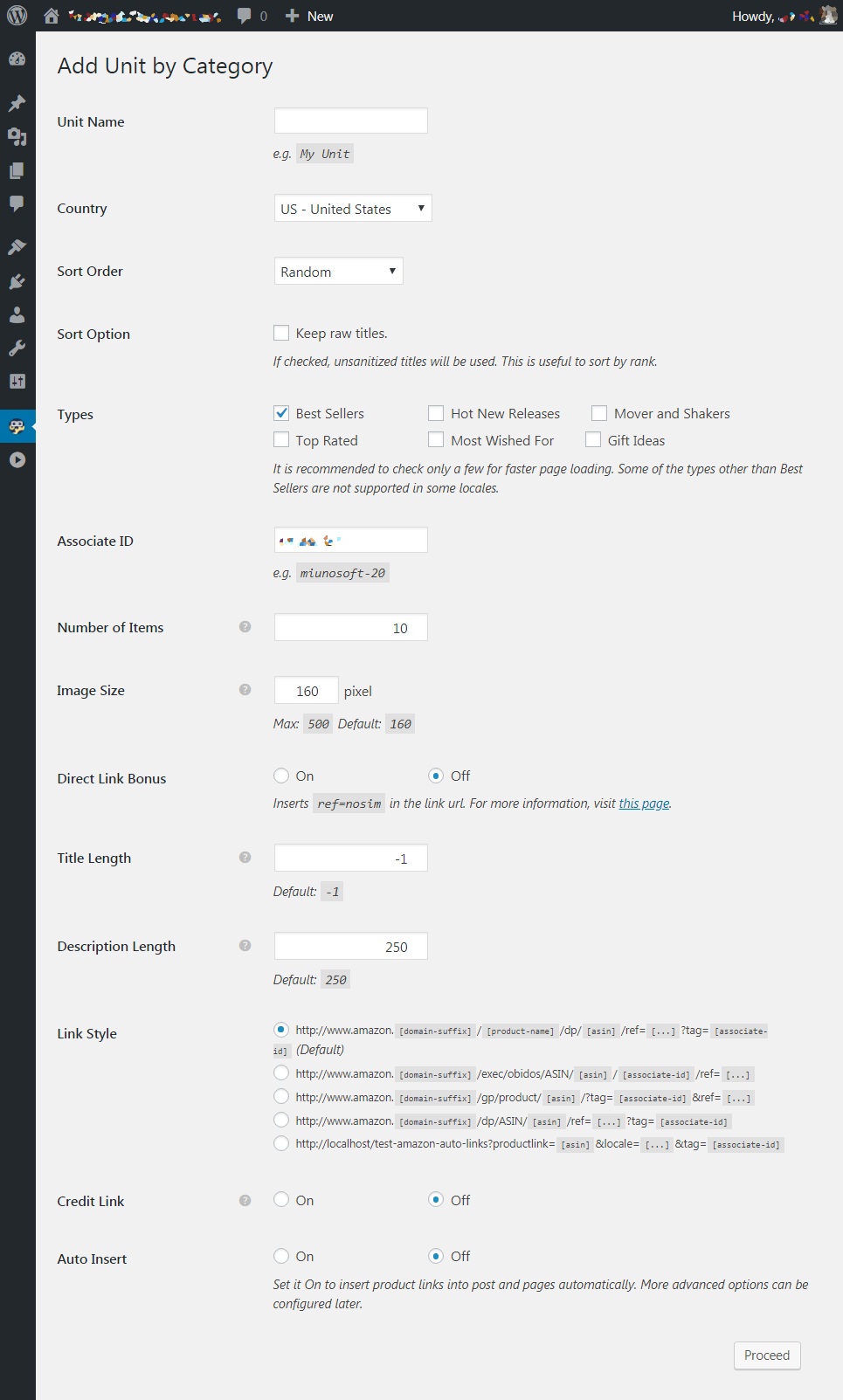
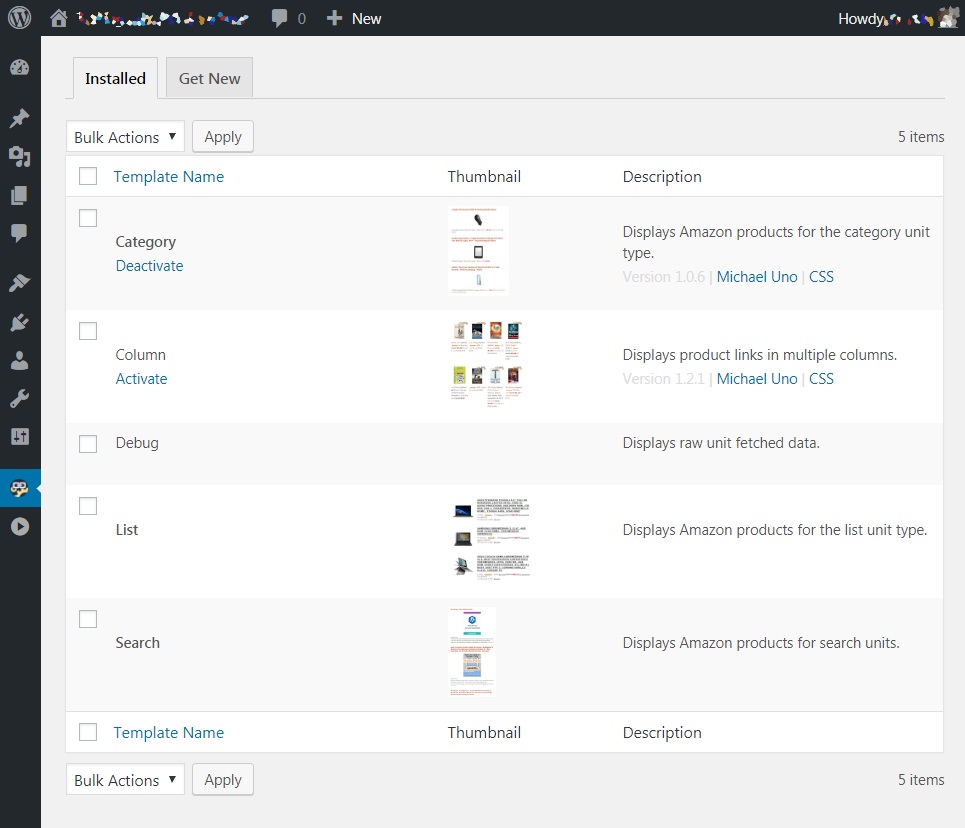
Supports All Amazon Associates Locales
Supports all Amazon locales including German, Japan, Italy, Spain, UK, US, Canada, France, Austria, and China.
Automatically Insert in Posts, Feeds, and Sidebars
With auto-insert, you can insert links almost anywhere you want.
Works without JavasScript
Some visitors turn off JavaScript for security and most ads including Google Adsense won’t show up to them. But this one works.
Various Unit Options
- Image Sizes
- Sort order. You can set it random so every time the page is loaded it shows items in a different order.
- Shortcode to embed the ads into posts.
- PHP function to insert in the theme.
- Product Filters – block unwanted items.
Requirements
PHP >= 5.2.4, WordPress >= 3.4
Usage
- Download the plugin.
- Upload the plugin file to your WordPress.
- Activate the plugin.
- Go to Settings -> Amazon Auto Link -> New Unit.
- Configure the options and select categories.
- After saving the unit option, go to Manage Units to get the shortcode or if you check one of the insert option, the links will automatically appear.
Sponsored Links
Download

- amazon-auto-links.zip
Support
If you find a bug in the program, please report it from the bug report page. For a feature request or a question on how to operate the program, please comment below.
Contributors Discount for Pro
If you can contribute to the plugin development, you can get a discount for Pro. Check details here.



How to overcome this error?
Error! “TooManyRequests”
“The request was denied due to request throttling. Please verify the number of requests made per second to the Amazon Product Advertising API.”
Hi,
That error can be triggered with simultaneous access to the PA-API server. This can happen if you have multiple websites and use PA-API from those or multiple Apps running that uses the API.
Hi! First of all many thanks for this amazing plugin! Long time searching for one like this. But I’have a “problem” and I don´t know how to solve it, hope someone can help me please.
Yesterday I left 3 “search” type units configured. And it was working fine. But today I clicked “clear cache” from “Manage Units” on the 3 units I have and now it doesn’t show me any products.
I don’t understand why this is happening, I tell it to search for products again but it tells me that no products were found.
Does anybody knows how to solve it without to re-create the 3 Units again from zero?
What are the funcntion of “clear caché” per unit, and how it affects to the amazon products?
Thank you very much in advance.
Hi Carlos,
Maybe you can test if the PA-API requests are going through by pressing the Check API button via Dashboard -> Auto Amazon Links -> Settings -> Associates -> Amazon Associates -> Locale.
If this doesn’t go through, try testing your PA-API keys with ScratchPad. The link for ScratchPad is in the description area under the Check API button field.
When using the plugin, I hit certain navigation areas and it just says “loading…” and the box stays empty, never refreshing.
I tried deactivating, deleting and reinstalling, and same problem. How do I fix?
Hi,
It is most likely due to your browser ad-block add-on. There are several forum topics about it.
I bought your proplugin amazon autolink. The money was cut from my paypal account and my confrim email not got and my code how to get it my paypal email same as comment email plaese check it
Responded to your email inquiry. Please check.
Hi,
I am using AAWP on my WordPress amazon affiliate site. Can I use Auto Amazon Links plugin at the same time?
Thank You
I purchased the pro license, however I cannot use it since I can’t find the place to add the license I bought. can you help?
Hi,
You can enter your license key via Dashboard -> Auto Amazon Links Pro -> Settings -> Pro.
Hope this helps.
Hi Michael,
Could you please provide some guidance around how to change the product title fonts when using column or carousal template? We have the pro version purchased.
We would like to change the font properties (font size, font weight, font type etc.) for the Amazon product items popular in the unit. Ideally, we want to make these customized changes only at the unit level. So that it doesn’t impact any other active units.
thanks
-Amit
Hi,
If you are a Pro user, you can use the support form within the plugin via Dashboard -> Auto Amazon Links Pro -> Help.
As for a way to change the title font for a particular unit, you can try the
.amazon-unit-{unit id}selector..amazon-unit-nnnn amazon-product-title {
font-weight: 600;
}
Change
nnnnto your unit id.Hope this helps.
I have few questions and clarification before a buy decision.
1.if I opt for one year plan and does not renew after an year what happens to my inserted short codes in the posts. Will they still display content ?
2. I want to develop amazon affiliate stores for 2 locales India and USA. How can I do it with one API credentials. Have I to buy two separate packages?
3. Do you have a life time plan so that I can rest in peace
Hi,
1. Yes.
2. You need to sign up for the both India and US Amazon Associates. And each Associates program give you a pair of API keys. If you need a license for two sites, you need to purchase the One to Five license type.
3. No.
I just started using Amazon Auto Links with WooCommerce. I’ve run into one issue I can’t figure out. The links are showing perfectly on every page on my site except for replies to blog posts. Here’s a link to my page.
[link removed]
Any help is greatly appreciated.
Fitz
Hi,
You appear to be a Pro user as using the Column template. Please send a support ticket from Dashboard -> Auto Amazon Links Pro -> Help -> Technical Support.
Thank you.
very goods for auto amazon links ……………………………………?
Hi!
Can I use the plugin (Amazon Auto Links) without Amazon API?
Thanks in advance.
Best regards
CVT
You can use it with category units. But it’s limited; product descriptions and some other elements won’t appear.
hello dear. I found this plugin with a video but in the video i didnot find the best setting for beginner who dont know even where is associate id no. and etc.
Hi,
I suggest you create a category unit and insert it on your site to see how the plugin works to get started.
Hello, I am Spanish and I would like to know if I can sell amazon products in other countries such as USA. If possible I would like to know how to configure the plugin.
I would also like to know if it is possible to modify the size of the texts in the advertisements.
Thanks
Miguel Angel
Hi,
Geotargeting is not supported at the moment, sorry.
As for changing the text size, it should be possible with CSS.
Hi,
Does the plugin produce the same html code as Amazon Affiliate Dashboard does?
Thanks!
Hi,
I’m not familiar with a plugin called “Amazon Affiliate Dashboard” so I don’t think I have an answer for what you are looking for. Sorry. And of course, different plugins produce different outputs one another.
You should try the free version of Amazon Auto Links and see if you like the output that the plugin produces.
We started testing out your Amazon Auto Links and found that it would slow our website and if we tried to make two listings it would mess up our homepage. Love the idea of this product, just can’t use it if this is the performance results.
Hi,
Sorry to hear that.
How did you measure how much your speed got affected by the plugin?